September - November 2025
Clustr is a location-based social app designed to help people discover and join local communities centered around shared interests and experiences. Users can explore nearby “clustrs,” which are dynamic groups formed around events, hobbies, or activities, and connect with like-minded individuals before attending gatherings in person. The platform bridges the gap between digital connection and real-world socializing, making it easier for users to meet new people in a comfortable and meaningful way.
Whether someone is looking to attend an event alone, find a new hobby group, or simply expand their social circle, Clustr offers a seamless way to explore what’s happening nearby. By combining geolocation, interest-based discovery, and group interaction, the app fosters genuine, community-driven engagement that transforms local experiences into lasting connections.
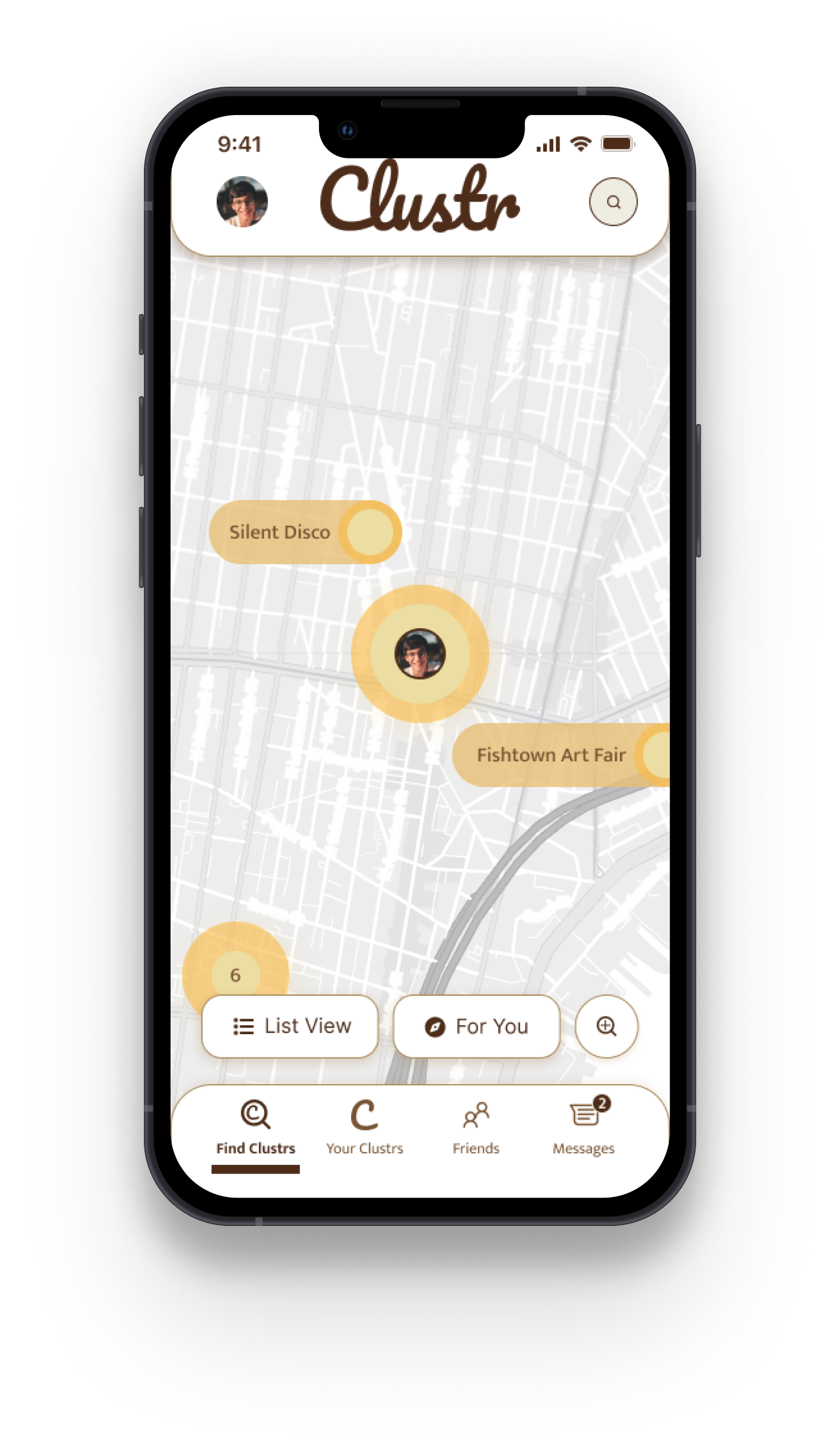
A friend of mine had ideated an idea for an app that builds local community. We talked further and it turned into a discussion of building groups around shared interest - but something that would translate into real life. I eventually envisaged events where attendees can see a QR code for our product and see who's in the group, reach out and form connection in a shared space.
"Hotspot" was the first name we brainstormed
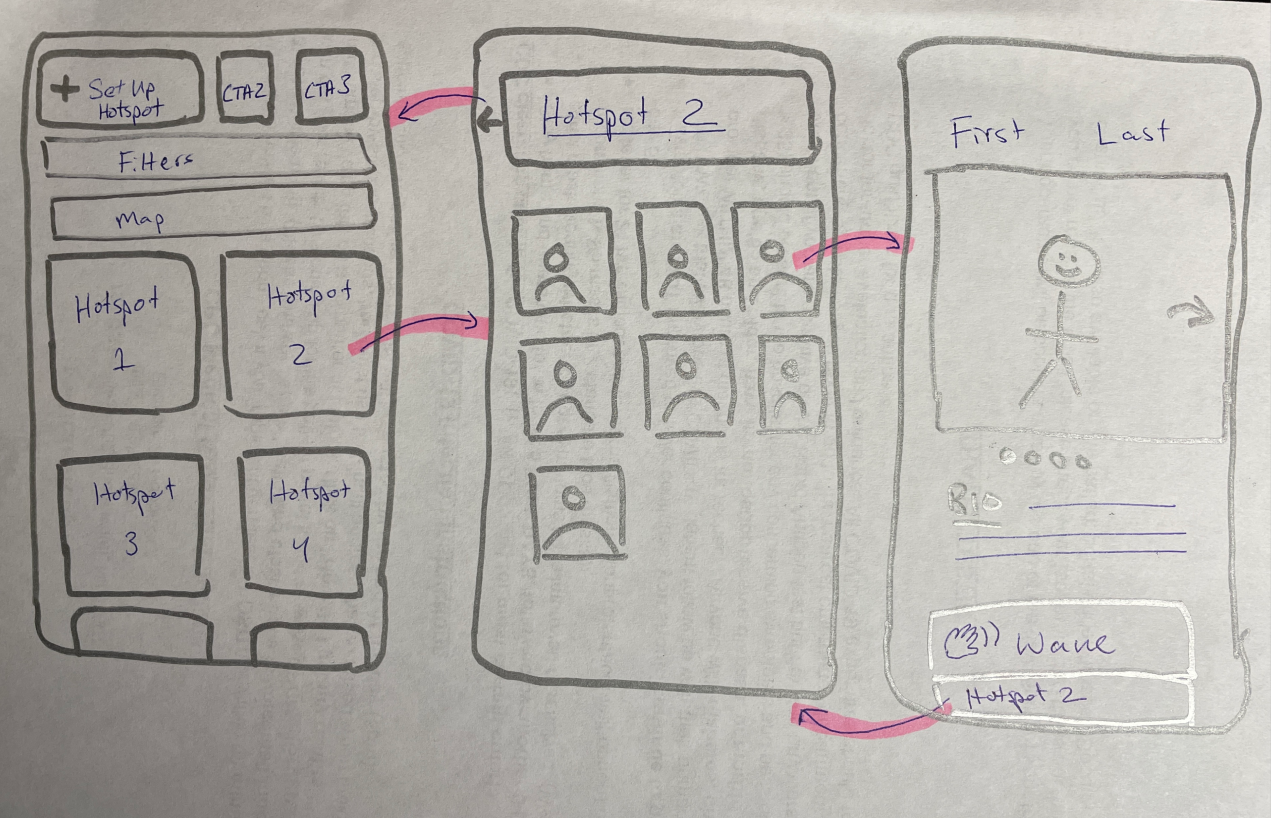
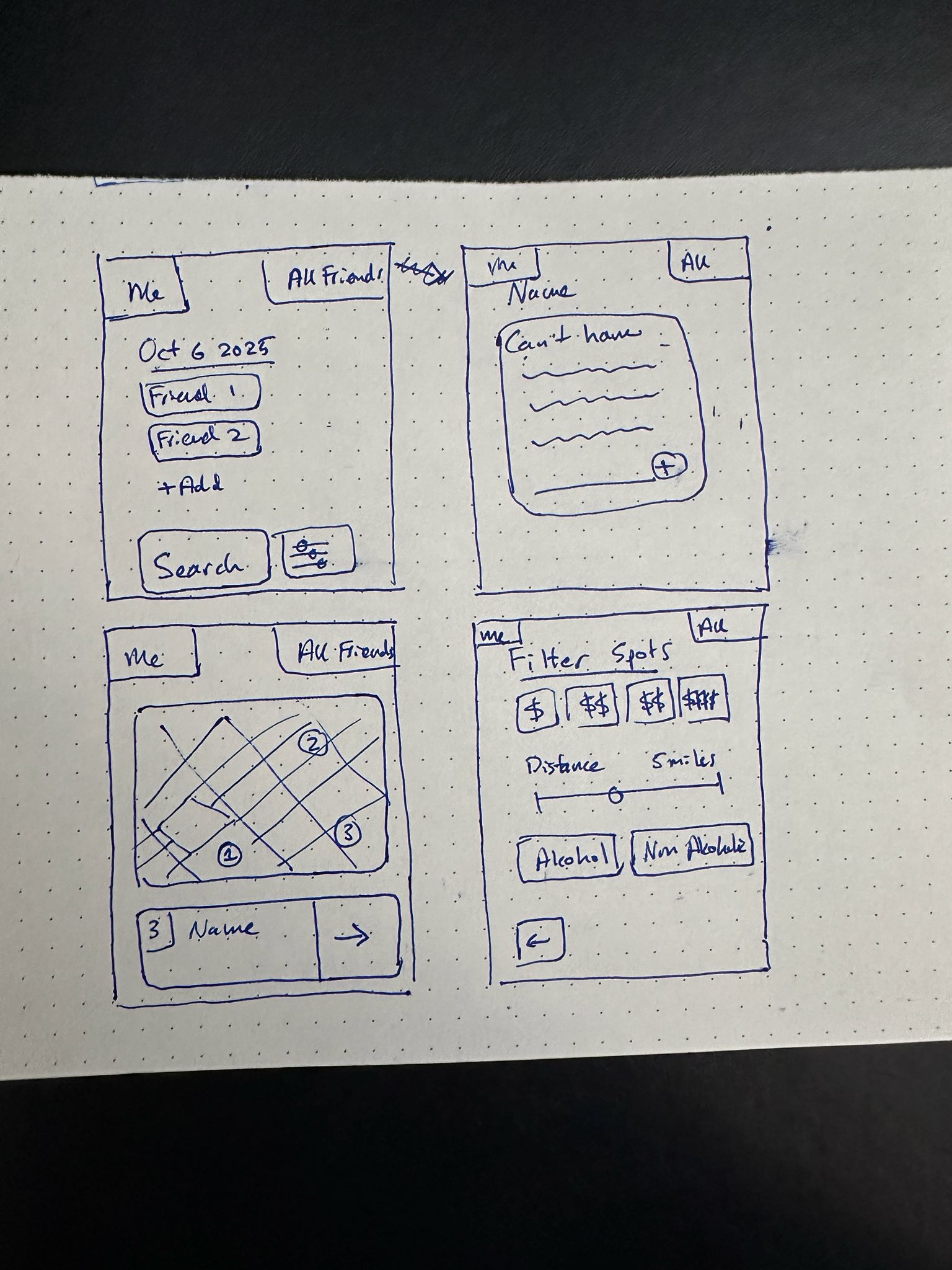

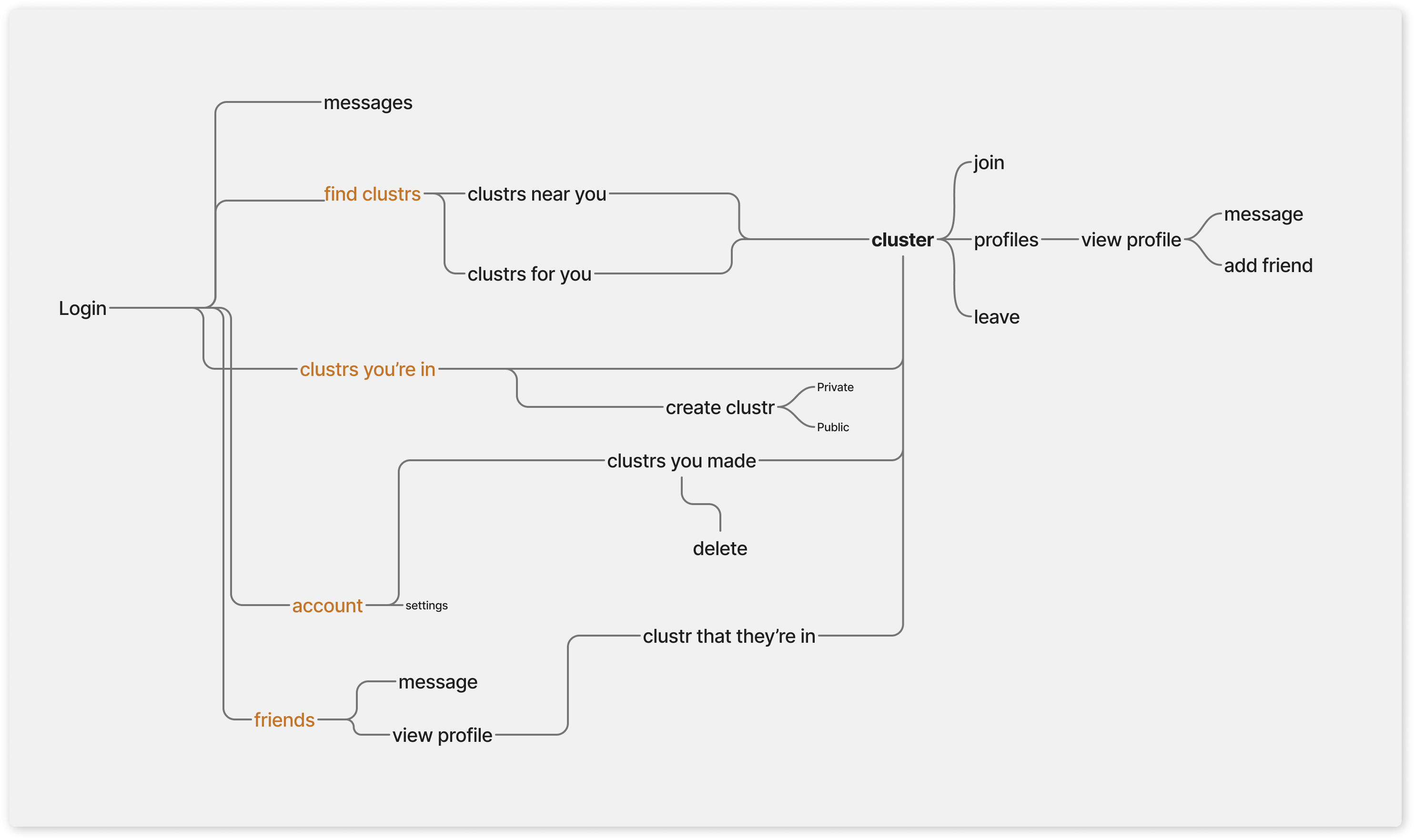
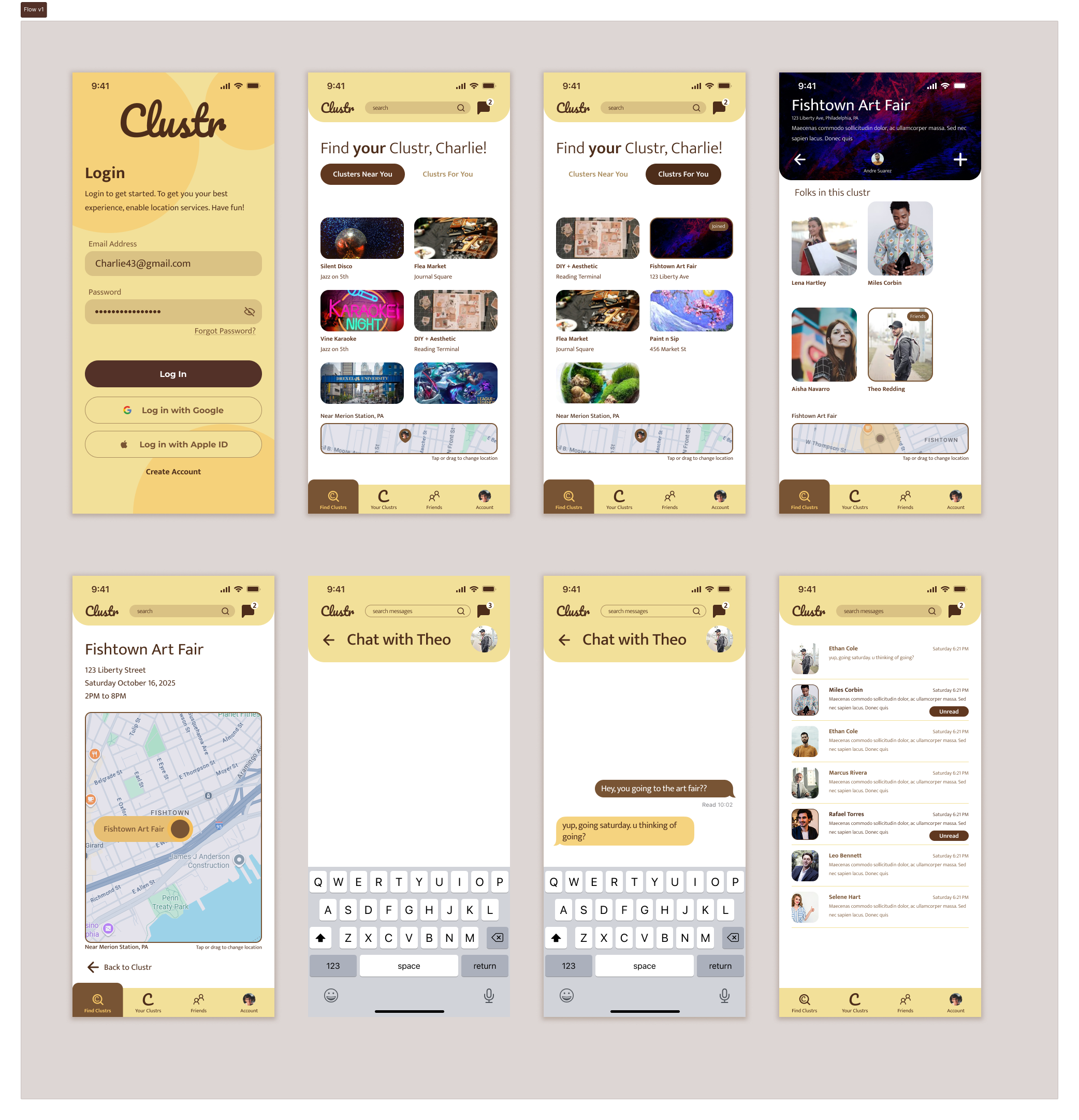
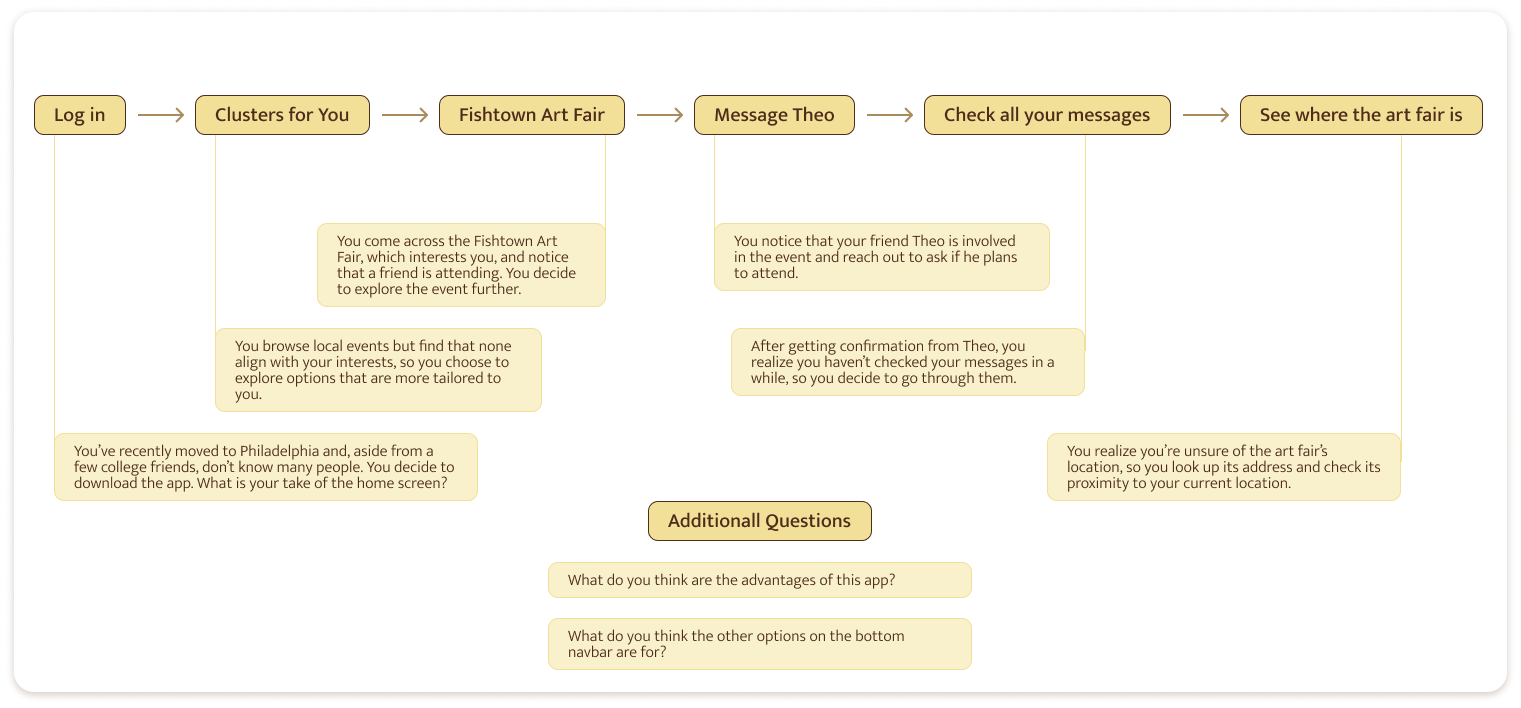
6 participants agreed to follow a user test flow where the user logs in, explores clustrs, messages a friend, and uses the map to check location. These tasks were timed. After the user test flow, they were asked a few broader questions. They were recorded and given a rundown on user testing and how they should communicate. Some used mobile devices while others used desktop.
After user testing, insights were gathered via Miro.
.jpg)

- Users interpreted the home screen as an event-based app
- Users were not clear what a clustr is
- Localization did not come across
- None of the participants mentioned user-created clustrs
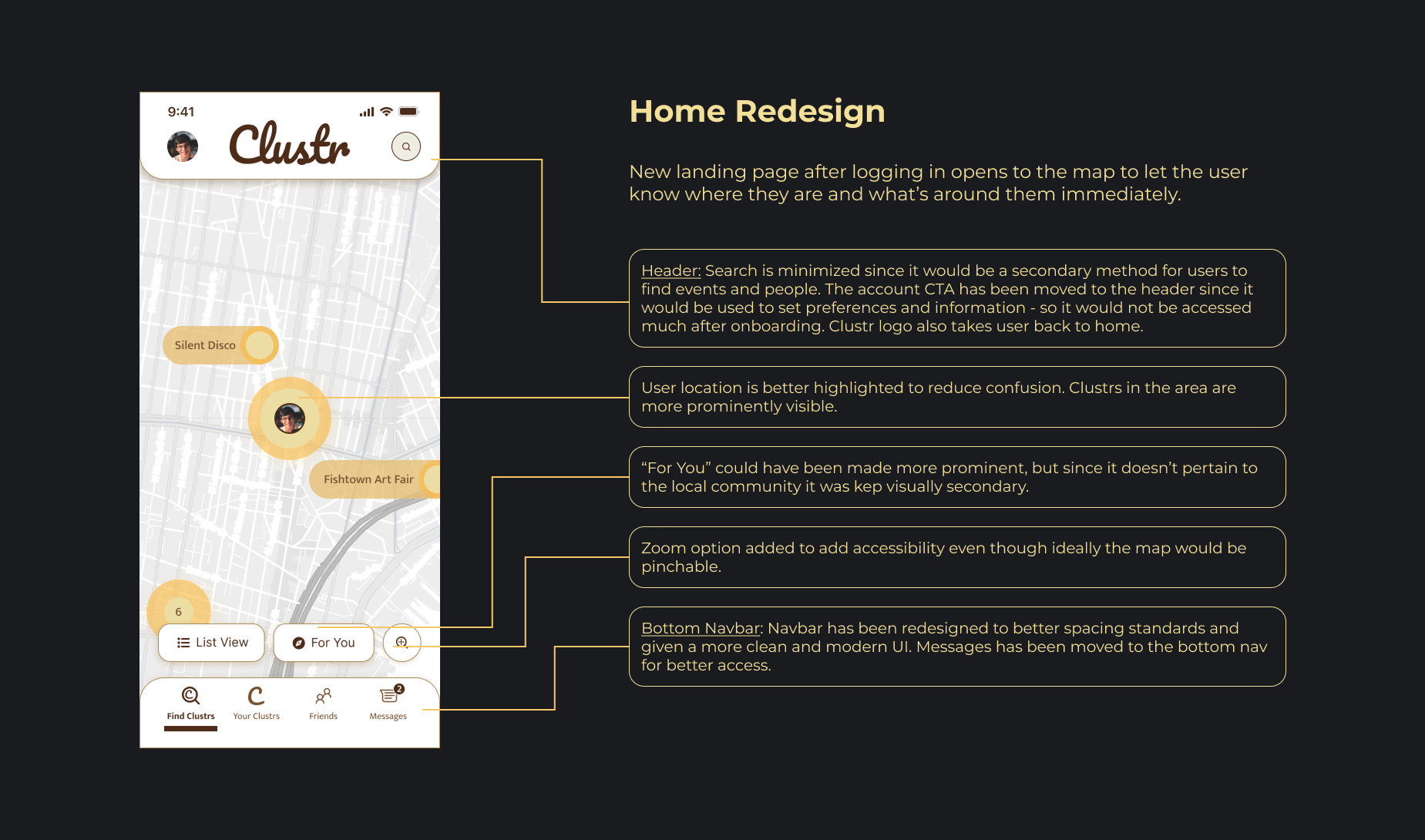
Solution: Switch to map view as the home screen default. This way, the user doesn't land on a list of clustrs upon logging in. They'll have a sense of where they are and what's around them. Giving them a list view option after that instinctually suggests that the list of clustrs pertains to them and their surroundings. The branding can also be uplifted to signal community. Adding a CTA to create a cluster on the home screen can indicate that the user can create a clustr and signal community.

- 4/6 users tried pinching and zooming. I could not apply that in the prototype, but ideally the built app would have that ability
- Half the participants could not locate where they are on the map
- Navigating back to the map from messages was tricky for 4/6 participants. Generally, participants would get confused or use other methods (back on the browser, swiping, etc) to get back to the clustr map.
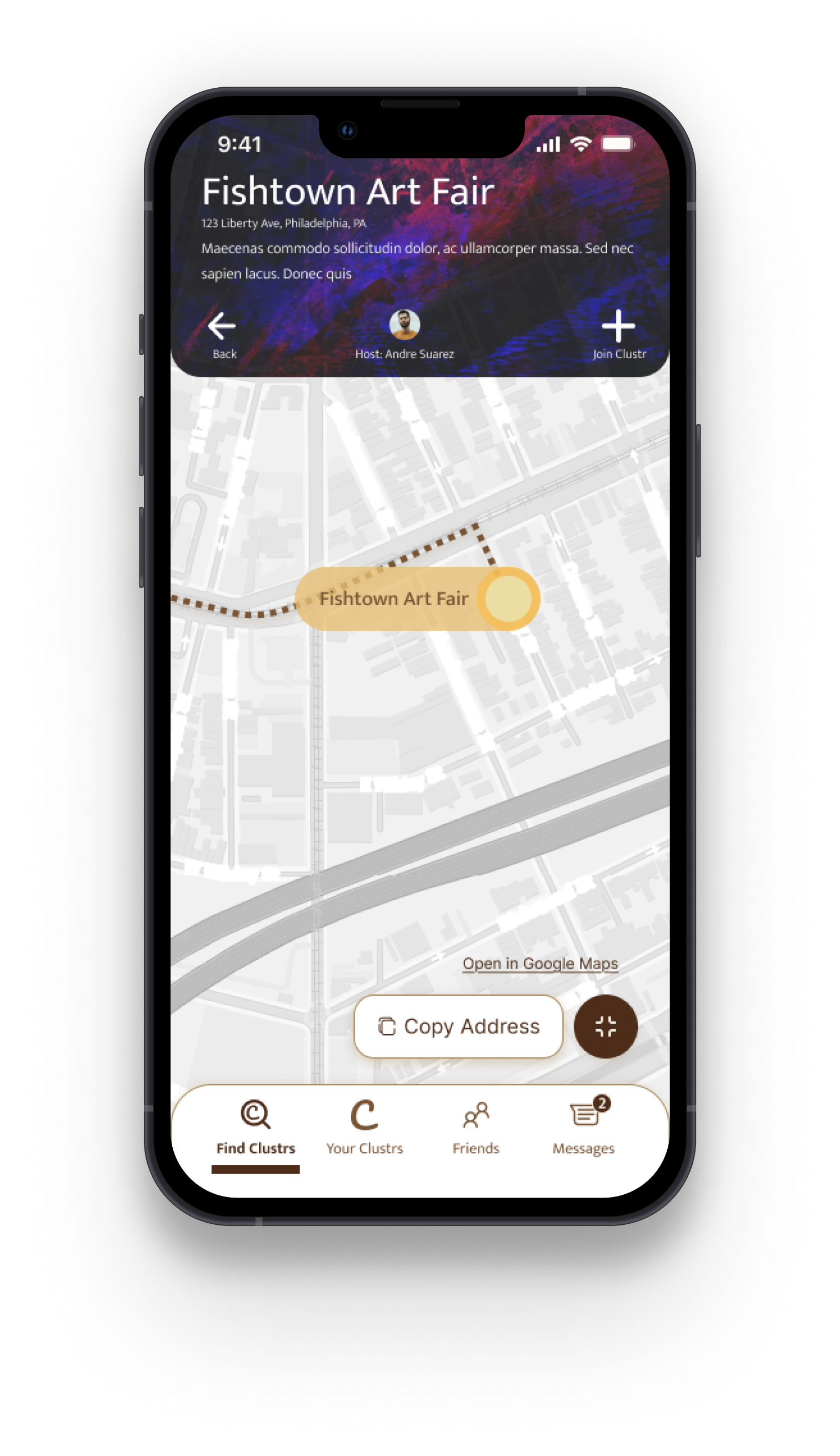
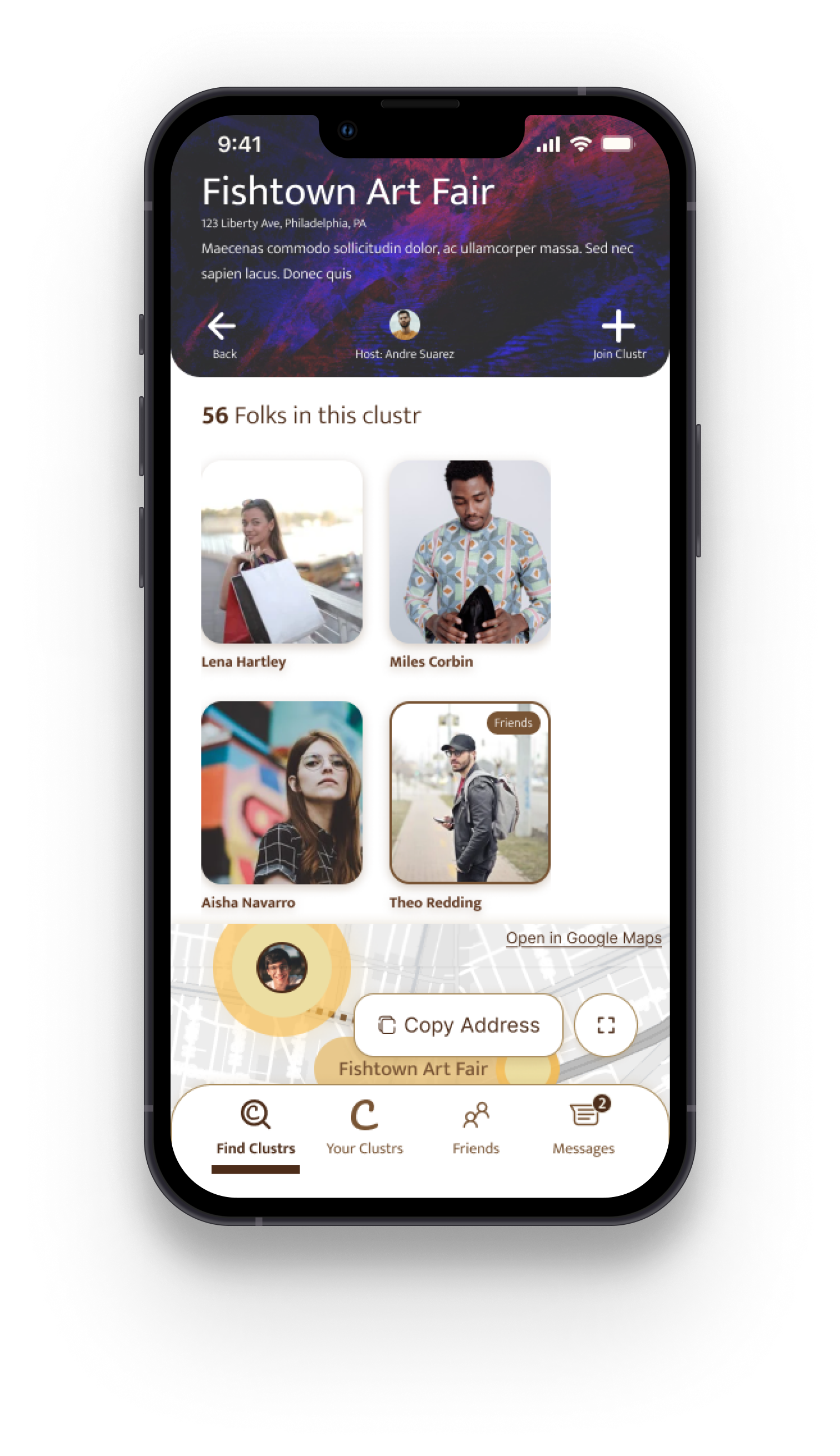
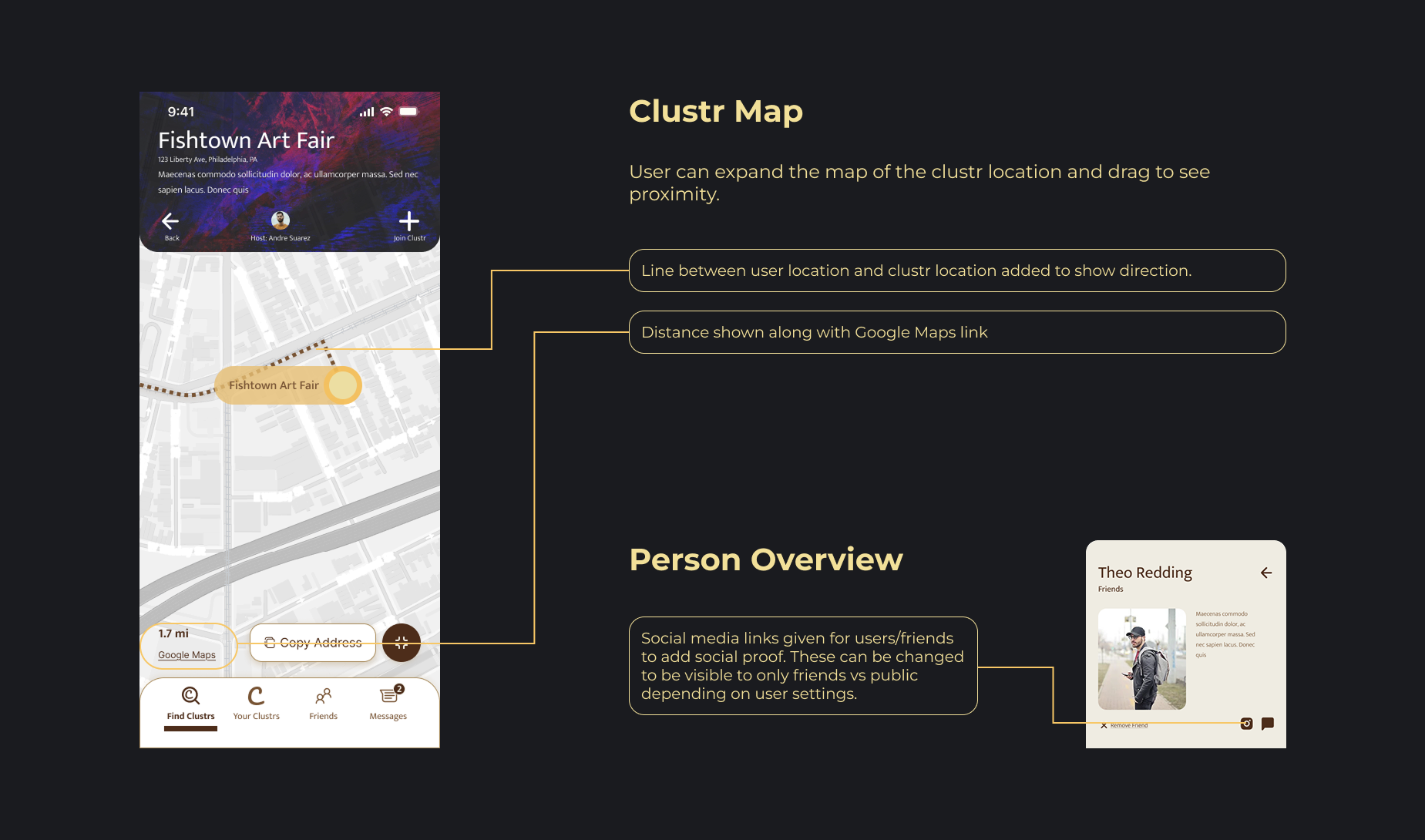
Solution: Have a zoom button on the map despite final product being pinchable. This would increase intuition. As for user location, the "you are here" indicator can be made much more prominent. A line tracing from the user to the clustr can more clearly display proximity. Since users had a tough time navigating back to the map from "all messages", the logo can act as a home button.

Users could not identify the following elements:
- 2 users did not pin Andre Suarez as the creator of the Fishtown Art Fair clustr.
- 2 users did not know what the join clustr button did, one of them thinking it was to join a group chat
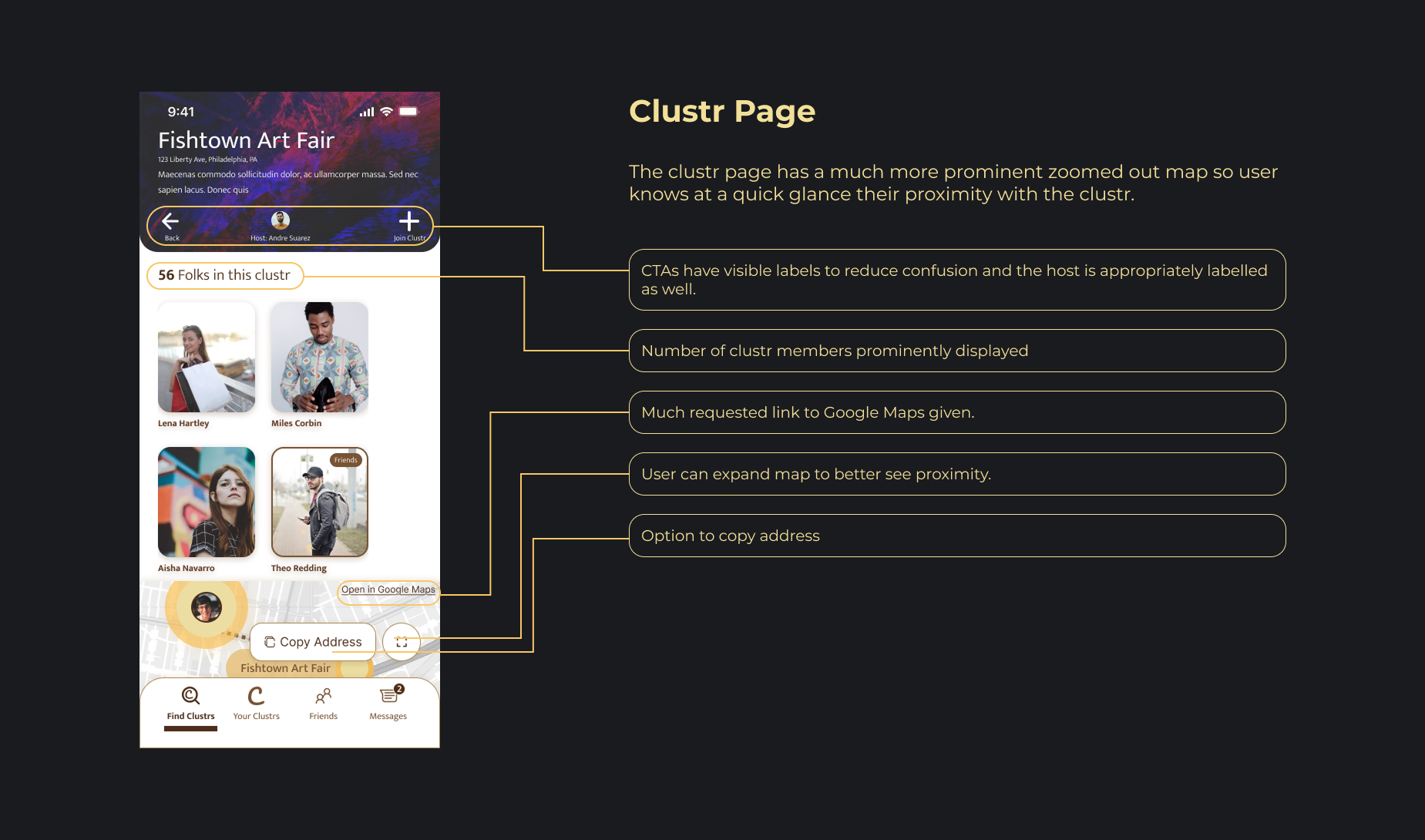
Solution: Have a clear and visible labels to CTAs. New "Create Clustr" option on the home page lets the user already know that clustrs are created by users so they can infer who the profile on the clustr is.

All of the participants had suggestions of features they expected or a user path they would follow including:
- Link to google maps suggested by 2 users
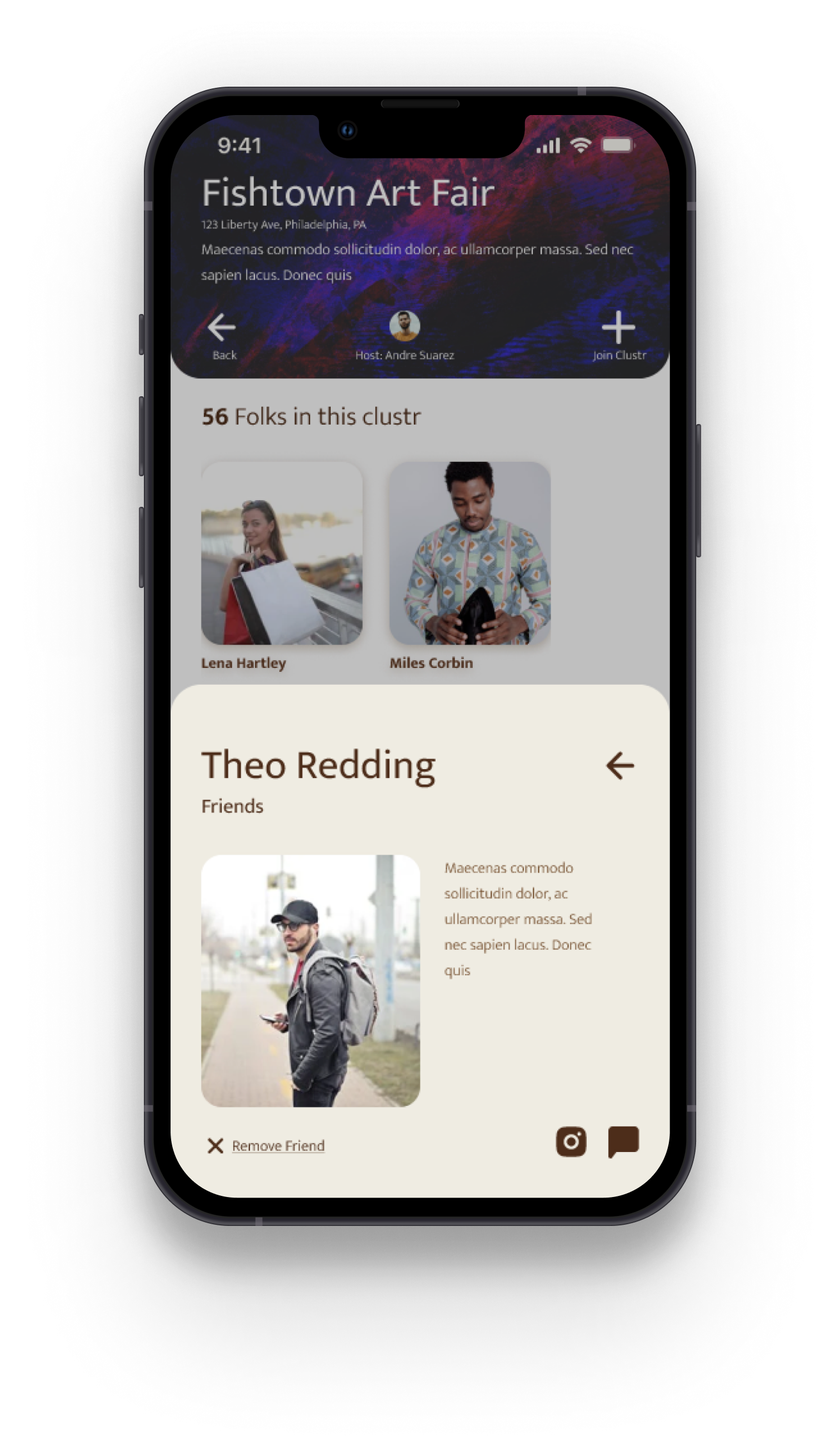
- Profiles being linked to their Instagram so the user can get an idea of them
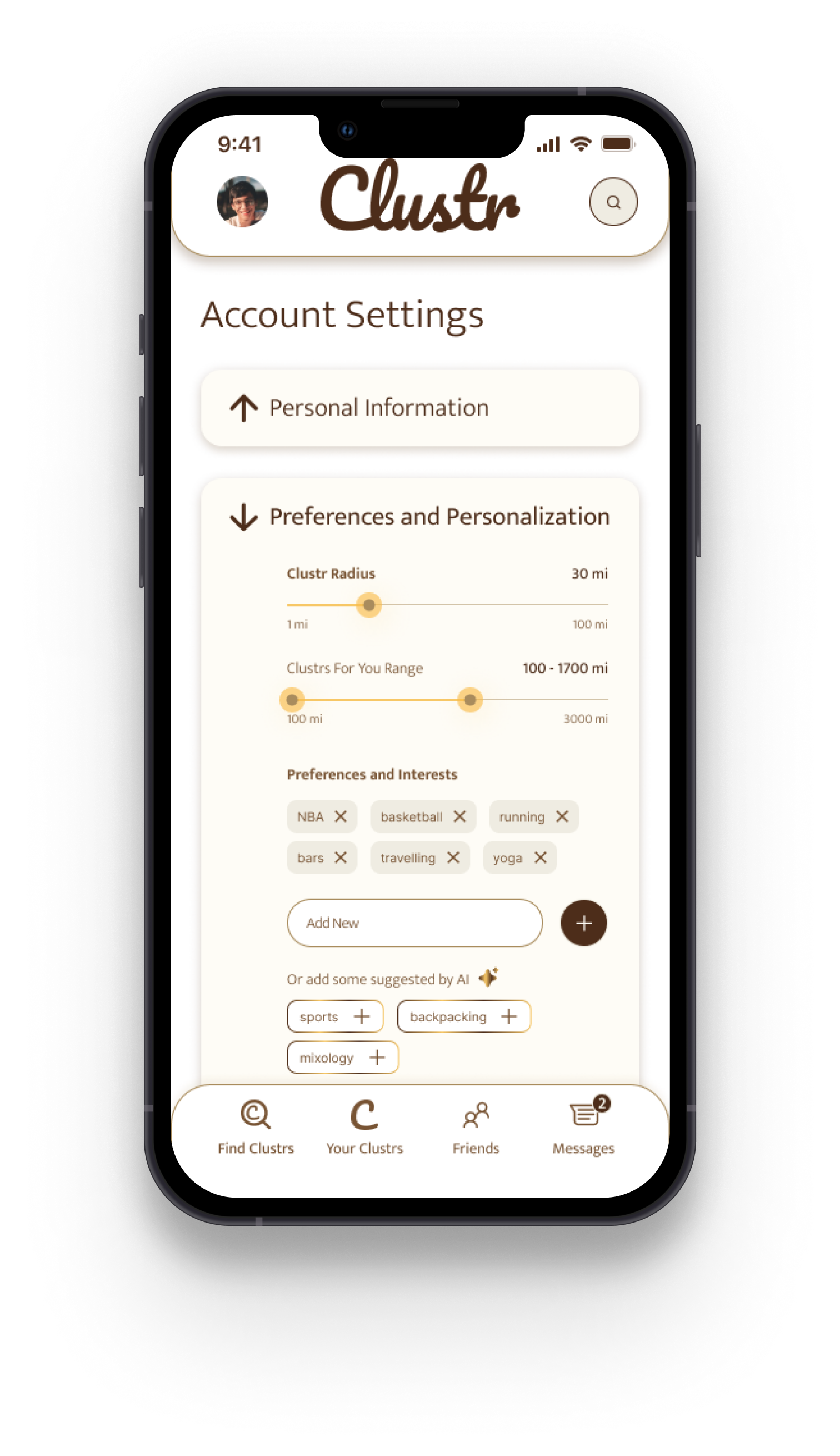
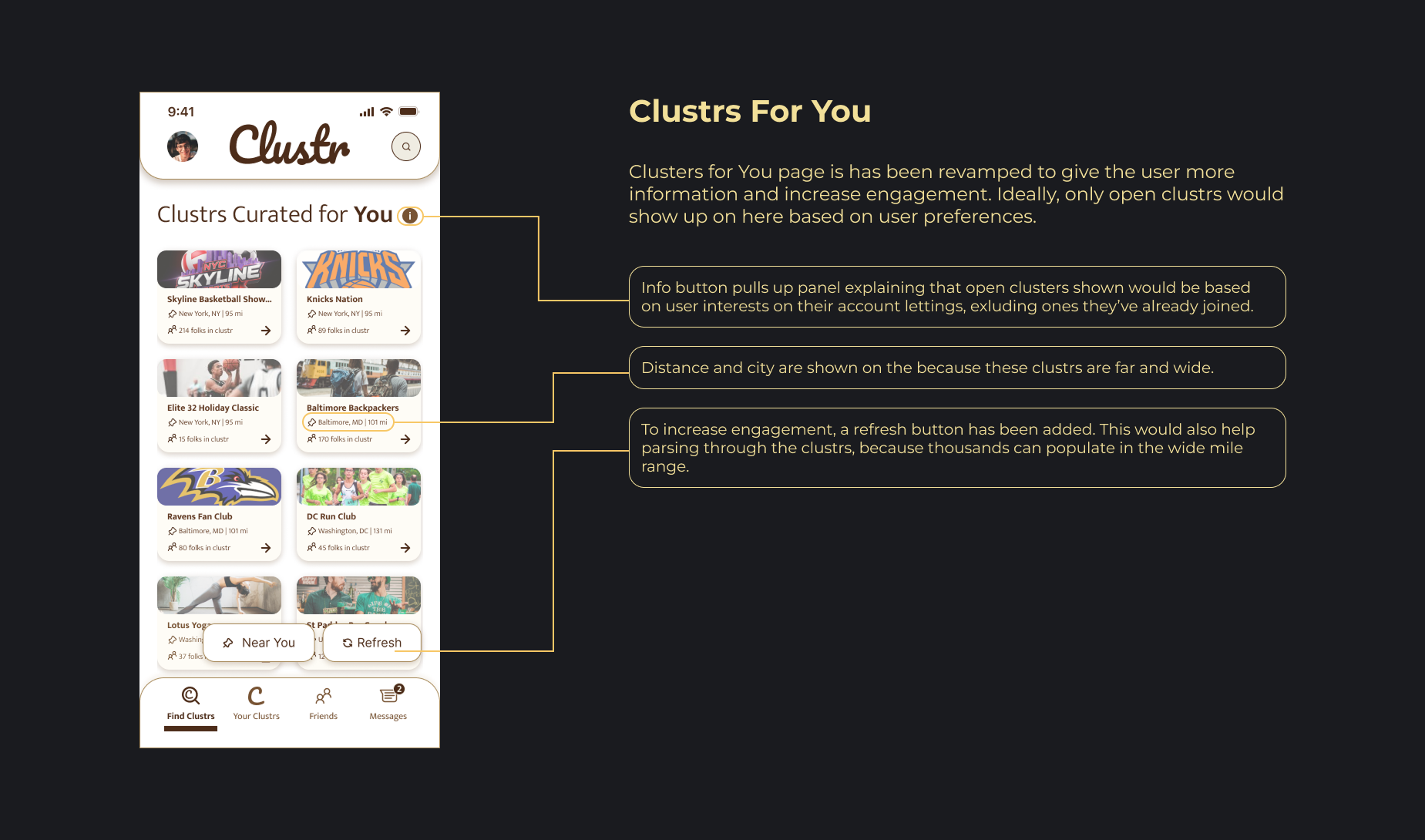
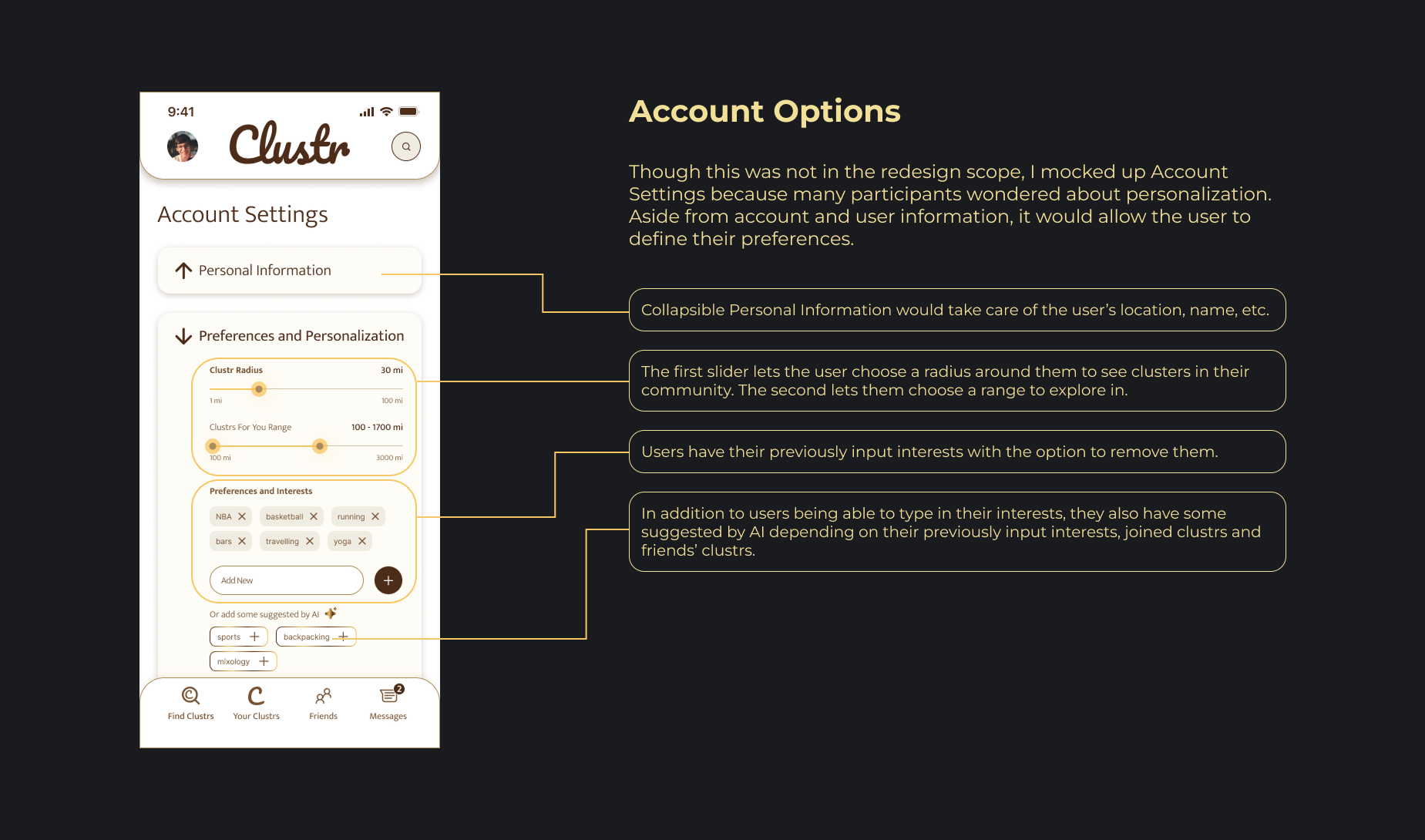
- Half users wondered about their preferences (onboarding)
- A user said they'd prefer if it showed how many people were in the clustr
- A user cited the logo bringing back users to home
- A user cited option to share location to friends
Solution: Include most of the listed features. Map should link to Google Maps, users can opt to link their instagrams to their profiles and the clusters should state the number of members. Also infobox on the "clustrs for you" page would reduce a lot of confusion present during the user tests.

Users stated various impressions of the UI including that it's "blocky", gives "bakery vibes" among others.
Solution: Redesign UI to be clean, lighter and more modern. The bottom navbar should be redesigned to better standards with the protruding current tab eliminated to reduce bockiness.
"I think I'd wanna use it. It would be cool for people to meet new people"
- Participant 5
"It's good if you want to attend something but have no one to go with. It's definitely much safer as a woman"
- Participant 3
"I use Facebook currenlty for events and connecting but it would be good to have it all in one place"
- Participant 2
"On one hand you can find events around you. OTOH you can find stuff you're into. Thirdly you can find people who are into it"
- Participant 4
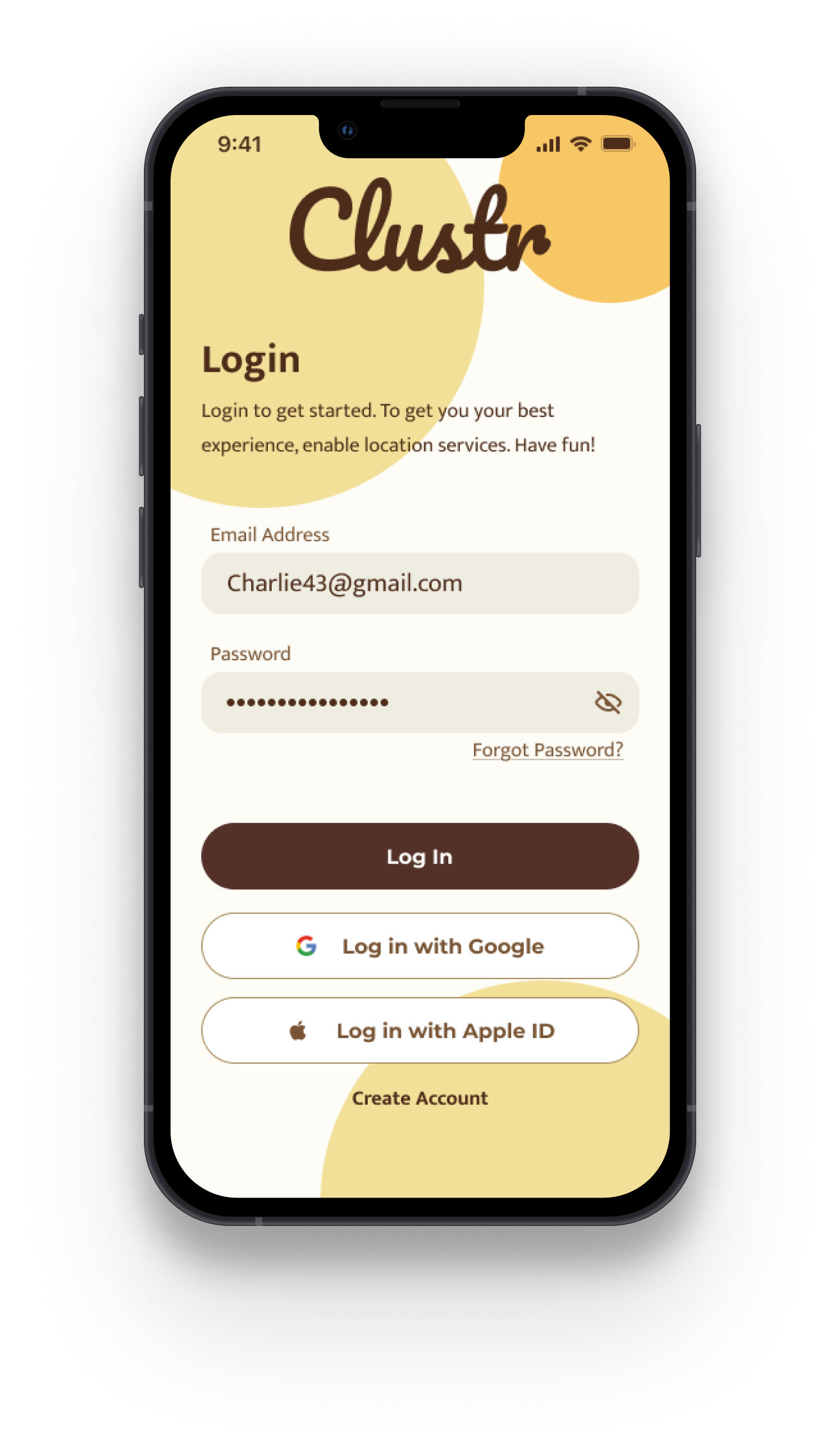
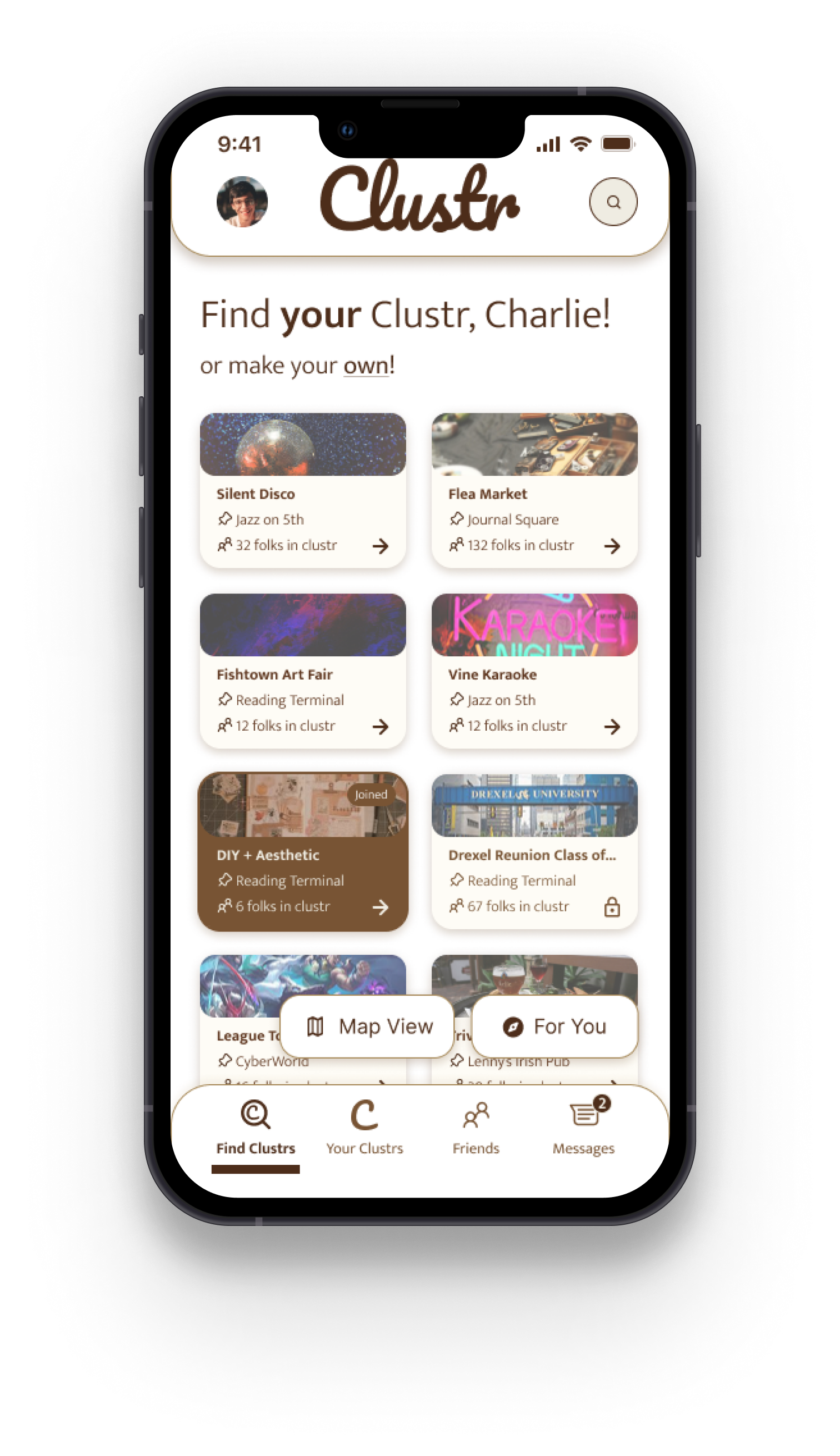
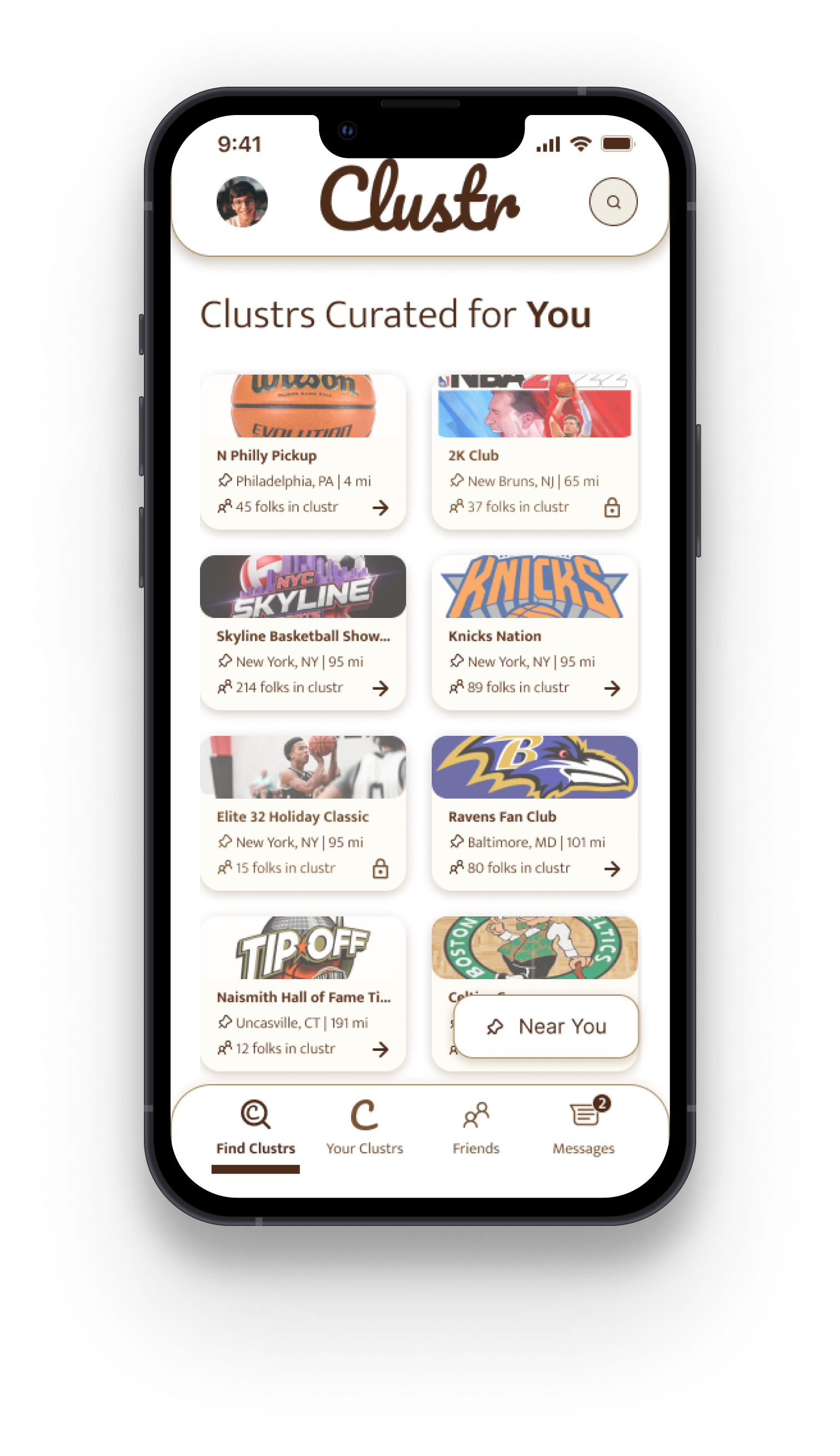

All of the participants agreed to go through the flow again and here are the outcomes!